I made this project to test the polarity of dc barrel jacks. So that when I add one to a circuit, I can tell that it is wired properly. I made the case out of hotel lotion bottles. It lights up red for center negative and green for center positive. Both lights will be on when it's connected to an AC power source (although technically they're not on at the same time, they are alternating 60 times a second.)
Wednesday, January 2, 2019
Saturday, November 24, 2018
Phone Charger Protection Cord
Sunday, October 28, 2018
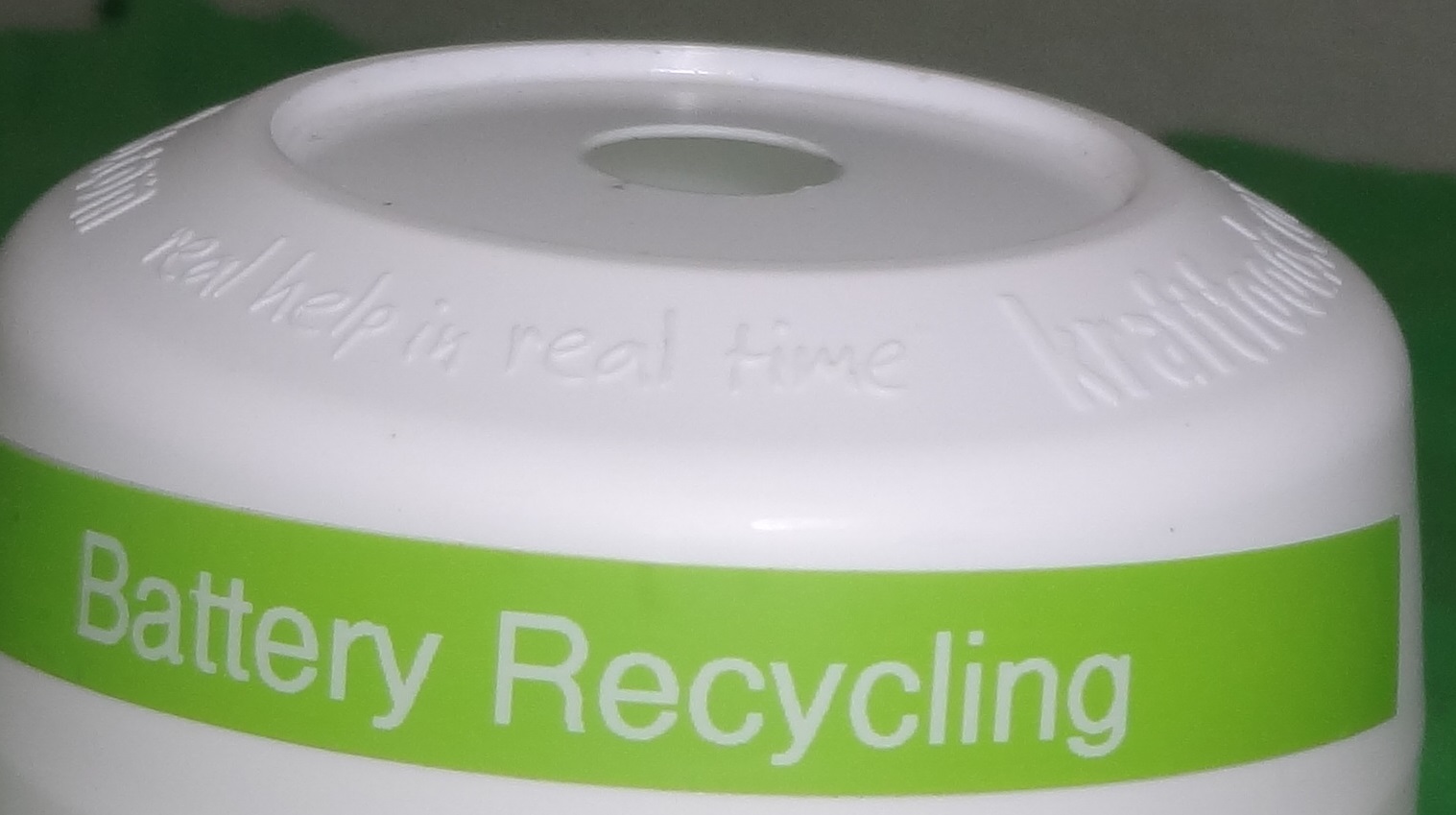
Battery Recycling Program
After watching a news story about battery recycling by a local fourth grader, I was inspired to start a program at my school. I originally started with my social skills teacher, then I decided to give a container to my algebra teacher. Next I gave one to my physics teacher, and put one in my school library. Often, math and science teachers have upwards of 30 calculators, each using 4 AAA batteries. When the batteries go dead, they have been discarding all 4 batteries. Most of the batteries I have gotten so far have been completely dead AAA batteries, but I have gotten some rechargeable AA batteries that were perfectly good, 1 perfectly good AA battery and more. I was able to return 4 brand new batteries to my algebra teacher so they could be used. I have been using plastic koolaid mix containers, with a hole large enough for a AA battery drilled in the lid. I printed a label with a label maker so everyone will know what the container is for. I check the containers every time I have those classes to see if there's any to collect, and then I take them home to test. If they are completely dead, I collect them until I have a a large batch to take to the library. If there is some life left in them, I will use them up first. The ones I tested that seemed brand new, I returned to the teacher.
Here is an affiliate link to a newer version of the label maker I used: https://amzn.to/2DbT6E7
and the green label tape https://amzn.to/2qhQwUs
The label maker uses 6 AA batteries or an AC adapter. It uses a lot of power- 9 watts- because it is a thermal printer. I would use an AC adapter because it is hard to find 6 old batteries that are good enough for this.
Monday, September 24, 2018
Repairing a Scrabble Timer
One of my teachers has a Scrabble set that she purchased at a garage sale. It's a 50th Anniversary Edition which came with fancier pieces and board, a dictionary, and a timer. The timer did not work. I tried to help by replacing the single AAA battery, but that didn't fix it.
The old AAA battery was very corroded, especially at the negative end (because it expired 18 years ago!). The negative terminal in the battery compartment was also extremely corroded. I took the timer home for further troubleshooting. Once I opened the timer, I could see that the negative wire inside was corroded off, and the PCB was damaged around the button.
My mom's digital kitchen scale had the same problem with the wire corroding off, and I was able to fix it by just replacing the wire. For the timer repair, I had to replace both the negative wire and terminal spring, using parts I salvaged from other things I took apart.
The corrosion on the timer continued onto the circuit board. First, I tested to see if the chip was still functional by connecting a AA battery to the solder joints on the circuit board. I heard a beep, which meant the chip was getting power, so I decided to continue the repair attempt. I cleaned the switch area with alcohol, but the damage was too severe. It's the worst corrosion I've ever seen.
The screen display worked, but the button did not. So next, I cleaned around the pcb button area. It still didn't work. I replaced the rubber dome part of the button with conductive foam shielding from a satellite dish. Then it worked, although the feel of the button was different. I discovered that it is a 3 minute timer- perfect for timing ramen noodles. 😋
![]() |
| Scrabble timer (photo from eBay) |
The old AAA battery was very corroded, especially at the negative end (because it expired 18 years ago!). The negative terminal in the battery compartment was also extremely corroded. I took the timer home for further troubleshooting. Once I opened the timer, I could see that the negative wire inside was corroded off, and the PCB was damaged around the button.
![]() |
| timer battery and spring terminal (stretched during removal) |
![]() |
| Negative end of the timer battery |
My mom's digital kitchen scale had the same problem with the wire corroding off, and I was able to fix it by just replacing the wire. For the timer repair, I had to replace both the negative wire and terminal spring, using parts I salvaged from other things I took apart.
The corrosion on the timer continued onto the circuit board. First, I tested to see if the chip was still functional by connecting a AA battery to the solder joints on the circuit board. I heard a beep, which meant the chip was getting power, so I decided to continue the repair attempt. I cleaned the switch area with alcohol, but the damage was too severe. It's the worst corrosion I've ever seen.
![]() |
| Example of a corroded circuit board- photo by Brabus on eevblog.com |
The screen display worked, but the button did not. So next, I cleaned around the pcb button area. It still didn't work. I replaced the rubber dome part of the button with conductive foam shielding from a satellite dish. Then it worked, although the feel of the button was different. I discovered that it is a 3 minute timer- perfect for timing ramen noodles. 😋
![]() |
| Conductive foam |
![]() |
| Conductive foam |
Friday, August 3, 2018
Electronic Pinscreen (from the archives)
Picture of the inside of my Electronic Pinscreen project- Work in progress May 2017. Each light sensor is connected to one resistor and then to one LED. Strips of foil tape connect the negatives of the LEDS and the positives of the light sensors. So it's basically 90 separate circuits.
The finished Pinscreen on display at the Austin Maker Faire. I showed it in May 2017 and May 2018 in Austin, also Floresville and San Antonio.
Here's one more close up picture. It shows up well in the dark. I think it would look good in the dark room at the Austin Maker Faire, but then my other projects would be harder to see.
Friday, July 27, 2018
Recycled Soap #4
I made another batch of recycled soap. I started with small bars of soap from hotels, and then shaved them into tiny pieces with a knife. I added food coloring and water, and then pressed the soap together to make two large blocks and a small one. It reminds my mom of a cupcake. I used a 1 ounce plastic sauce cup as the mold. This counts as batch #4, because batch #3 failed. It was a small batch, but the soap chips didn't stick together and fell apart after using the block once.
Thursday, July 26, 2018
Component-Level TV Repair (From the archives)
Back in 2016, My dad was watching TV, and he heard a loud pop and then the TV stopped working. No lights turned on whatsoever, which meant it might be a problem with the power supply. It was a 42 inch TV, and would probably cost over $300 to buy a new TV.
My dad decided that we could try to fix it because it was already broken and I couldn't make it any worse. When we opened it up, I saw a bulged capacitor and a soot stain around a chip on the power supply board. I told my dad which parts to buy on Amazon and Ebay, and I also needed a desoldering tool.
I practiced with the desoldering tool on some scrap circuit boards before I started on the repair. First, I removed the old chip and the old capacitor. The new capacitor was too tall to fit in the case, so I had to extend the leads and attach it sideways. The other solution would have been to drill a hole in the case, but that would have looked messy. I added a socket for the chip, which means that it will be easier to replace if it ever fails again.
The cost of the repair, including the capacitor, chip, set of IC sockets, and the desoldering tool was less than $25. The hardest part of the repair was removing the TV from the wall mount. The repair was successful, and has continued to work for over 2 years now.
The black square in the middle is the chip.
This is the capacitor.
Amazon Affiliate link for the IC sockets I used: https://amzn.to/2LUCy4a
Amazon Affiliate link for the de-soldering tool: https://amzn.to/2uUWqxj
Power Supply Underglow
I purchased an LED light strip from the clearance department of Walmart. It's the type that is designed for cars, which runs on approximately 14 volts. I added it to the underside of the main deck of my power supply. I'm running it off the 9-Volt rail with a resistor to make it less obnoxiously bright and to save power.
It looks really good in a dark room.
I don't really need it, but it looks cool. I was bored because my VR controller is being repaired.
Thursday, July 5, 2018
Dollar Store Timer Battery Upgrade
Why Bad GFCI Plugs Shouldn't be Donated
Griffin recently spotted a GFCI plug at a Habitat for Humanity ReStore. It was a good price, so he bought it. But you can't tell at this type of store whether electrical items are good or not. Griffin at least has the advantage that he knows to expect some of the items to be bad, and has a way to test them. He worries that the average person, just looking for items for their home, wouldn't know this and might buy one of these unreliable items and accidentally start a fire or electrocute someone.
This GFCI outlet, apparently was fried on the inside, which made it stuck ON. So it wouldn't cut the power in an emergency, which is what it was designed to do. It is supposed to cut the power if there's a situation like the classic "dropped a hairdryer in the bathtub".
Because it was already broken, Griffin took it apart to find out what was wrong on the inside. If you can see from one of these three pictures, there is soot on the circuitboard at the bottom center of the picture. The solenoid coil that actually does the switching has overheated and melted. This would not have been something Griffin could fix.
So Griffin says, If you are replacing failed GFCI outlets or broken switches, Please do not donate them to Habitat or other resale shops!
Subscribe to:
Posts (Atom)